

How to use shaders in Minecraft 26.1
Mojang has finally released the Minecraft 26.1 Tiny Takeover game drop on March 24, 2026. Compared to previous game drops, this update is slightly smaller because it only brings updated models and textures for baby mobs and golden dandelion item that can prevent baby mobs from aging. Furthermore, name tags are craftable in this game drop as well.
Shaders are one of the most popular graphical enhancement players apply to Minecraft. They are essentially mods that bring volumetric lighting, shadows, dynamic lighting, volumetric fog, and more.
Though not all shaders might be updated to the latest version, they can be installed and used using Iris and Sodium mods. Here is a guide for using shaders in Minecraft 26.1.
Steps to download Sodium mod for Minecraft 26.1
1) Download Iris Shaders Installer

First, you need to download the Iris Shaders Installer from its official website. Iris is a shader mod that has a partnership with the Sodium mod; hence, both mods can be installed from Iris’s installer itself.
After the website opens, you can click the “Download Now” button to start downloading the installer, which will be a small setup file.
2) Install Iris and Sodium for Minecraft 26.1

After downloading the installer, you need to open it from the downloads folder. By default, the installer will select the latest game version, which is 26.1, and locate the official game directory on your computer.
You have the option to install only Iris and Sodium, or both of these mods along with the Fabric mod loader.
Fabric is a widely used mod loader that allows you to run many other mods as well. If you plan to download additional mods in the future, make sure to enable the “Enable Fabric mod support” option.
Once you have reviewed and adjusted all the settings, you can click the “Install” button to install both mods.
3) Find and download any shader pack for Minecraft 26.1
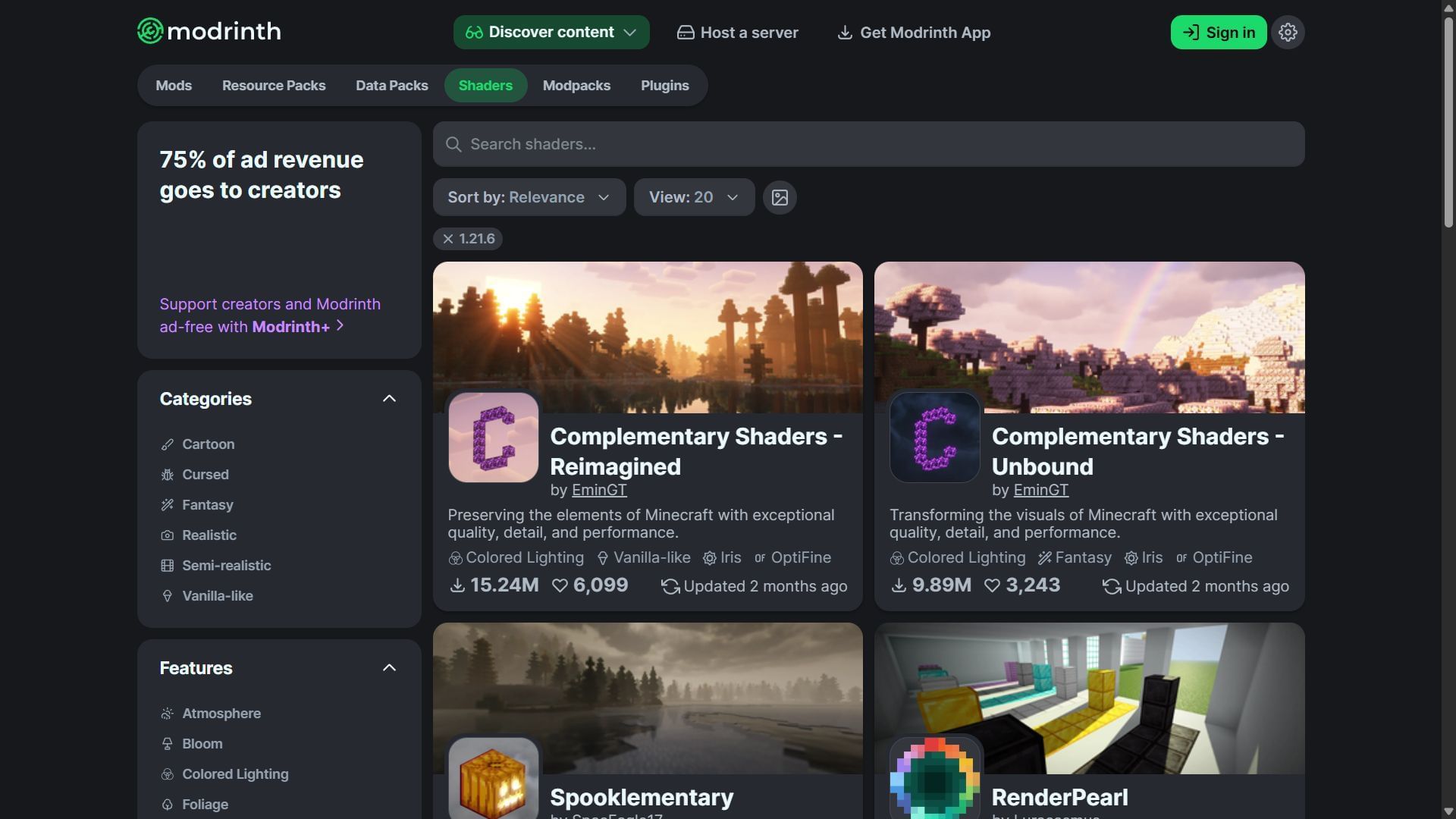
Once you have installed Iris Shaders with Sodium, you can go to either open the Modrinth or CurseForge websites to download a shader pack of your choice. The shader pack will be provided as a zip file that you do not need to open. Instead, you can directly copy and paste the file into the official Minecraft directory.
Even though some shader packs will show compatibility with older game versions, some of them can work great in Minecraft 26.1. Hence, you can download multiple shader packs and try them all one by one.
4) Open modded Minecraft 1.21.9 to open the shader pack folder
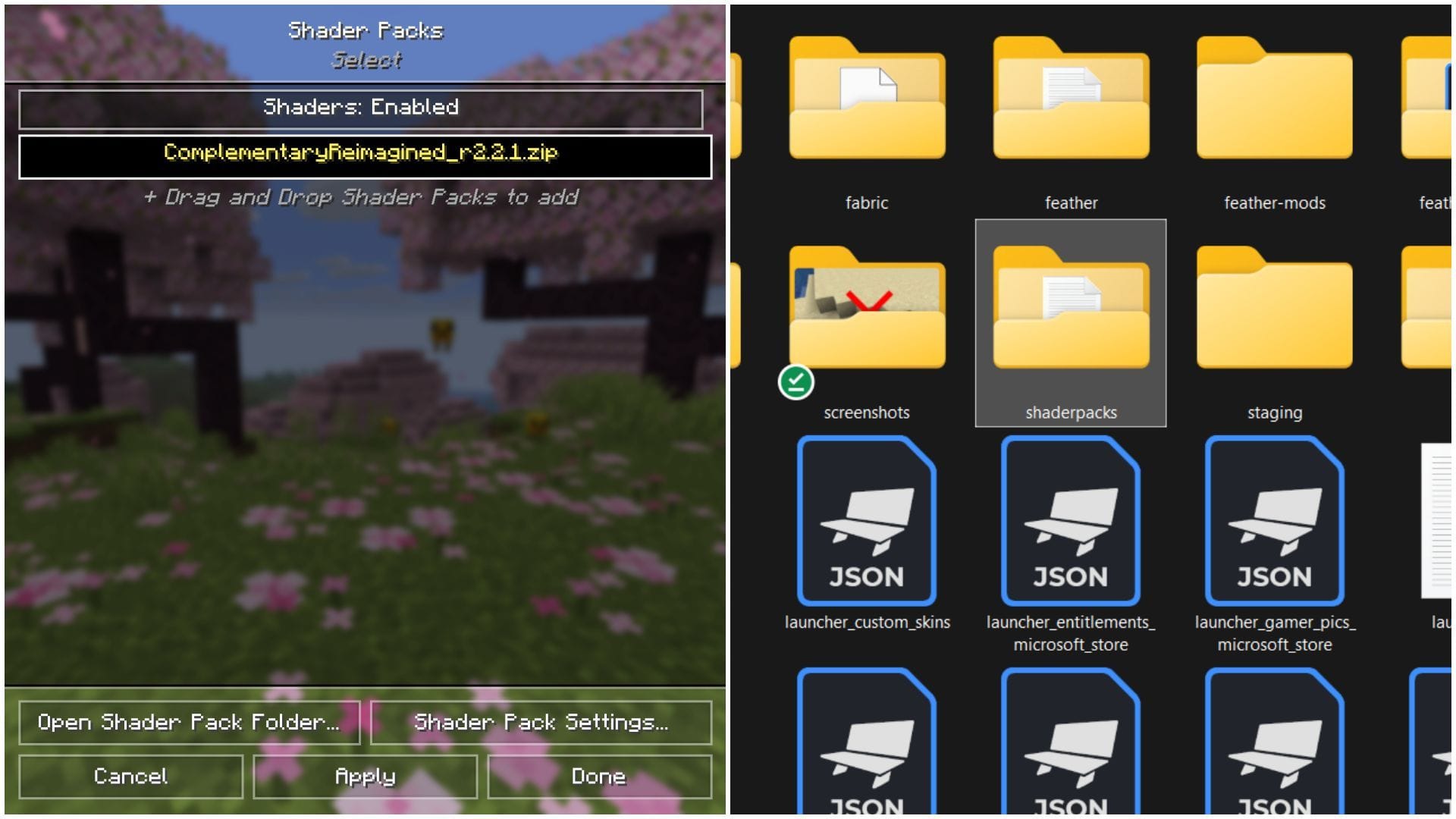
Once you download your desired shader pack, you can open Minecraft’s official game launcher, select Java Edition, search for “Iris & Sodium for 26.1” game version from the drop-down menu, and run the game.
The video settings of the game will look different because of the Sodium mod. This is also where you will find the “Shader Pack” settings. Select the setting and click on “Open Shader Pack Folder.” This game will automatically minimize and open an empty folder named shaderspack.
This is a folder located in the game’s official directory, where you need to copy-paste whichever shader pack you have downloaded. The last step is to maximize the game, activate the shader pack from the settings, and enter a world.
Check out our latest articles on Minecraft:
Edited by Akshat Kabra